
Story mode provides all your results and insights in the same format as the 1+3 data pack while providing additional context on the content in the pack. Story mode literally talks through your data slide by slide to ensure you understand the insights being presented back, and your AI coach narrates the detail behind each slide.
When you open the pack you'll see several options on the right hand side of the page. You can click the Download this pack button to download the same 1+3 data pack you would request from the Workplace Insight Tool - you will be sent a link to download the pack as a PowerPoint presentation. Hovering over the numbers will show the section each number represents, as well as sub sections if they exist - simply click one of these to skip to that page. Finally, you can click the Begin button - this button looks like an arrow pointing downwards and will begin the Story Mode walkthrough.
In walkthrough mode, your AI coach will talk through each slide - you can see some of the context this provides in the example below. You can mute the coach or pause the demonstration by using the buttons on the bottom left - the arrow on the bottom right can be used to skip both the explanation and the animations.
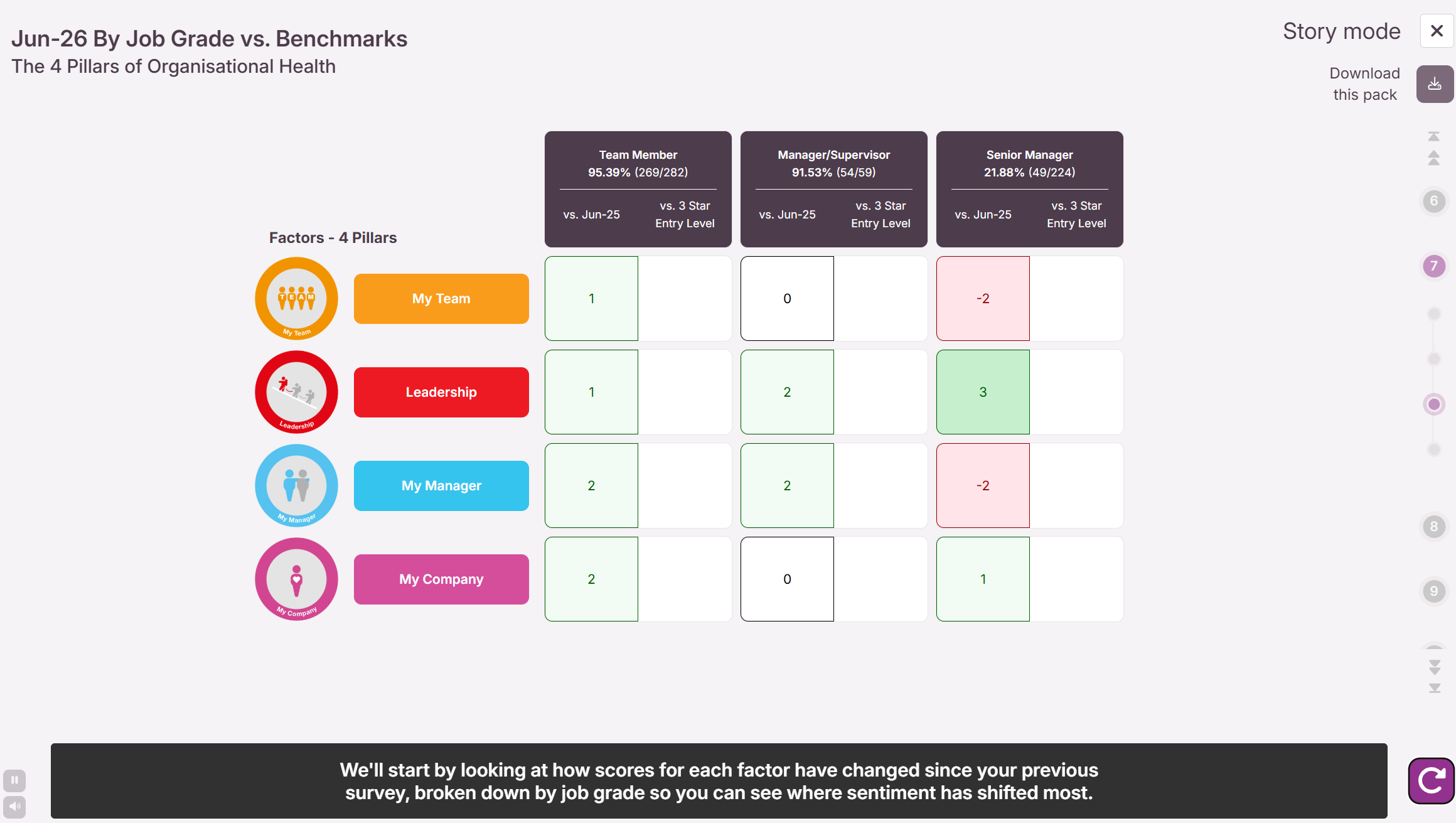
The default pack displayed in Story Mode is the Leader pack. To see a Team pack, head to the Team Action Planning section in the Engagement Journey section, then hit the Review Team Insights button.
For additional support please email support@b.co.uk, call us on 01978 856222, or click the 'Get in Touch' button at the top of this page.