
When setting up your survey you may wish to compare your question selection to previous years. In newer versions of our survey set up we allow for templates to be created so that these can be re-used in future surveys, however for more historic surveys you may be required to download your question template via a previous survey entry.
To do so simply head to your survey dashboard and select 'Manage Survey' from the top banner.
From here you can select from the drop down in the top right of the various surveys you have created.

Once you have selected the desired survey from the drop down you can then review your previous survey via one of two methods, either through the 'Select your survey questions' task or through 'Send a demo survey'.

If you are simply looking to review the questions selected head over to the 'Select your survey questions' task and select 'Download statements as CSV' (as pictured below).
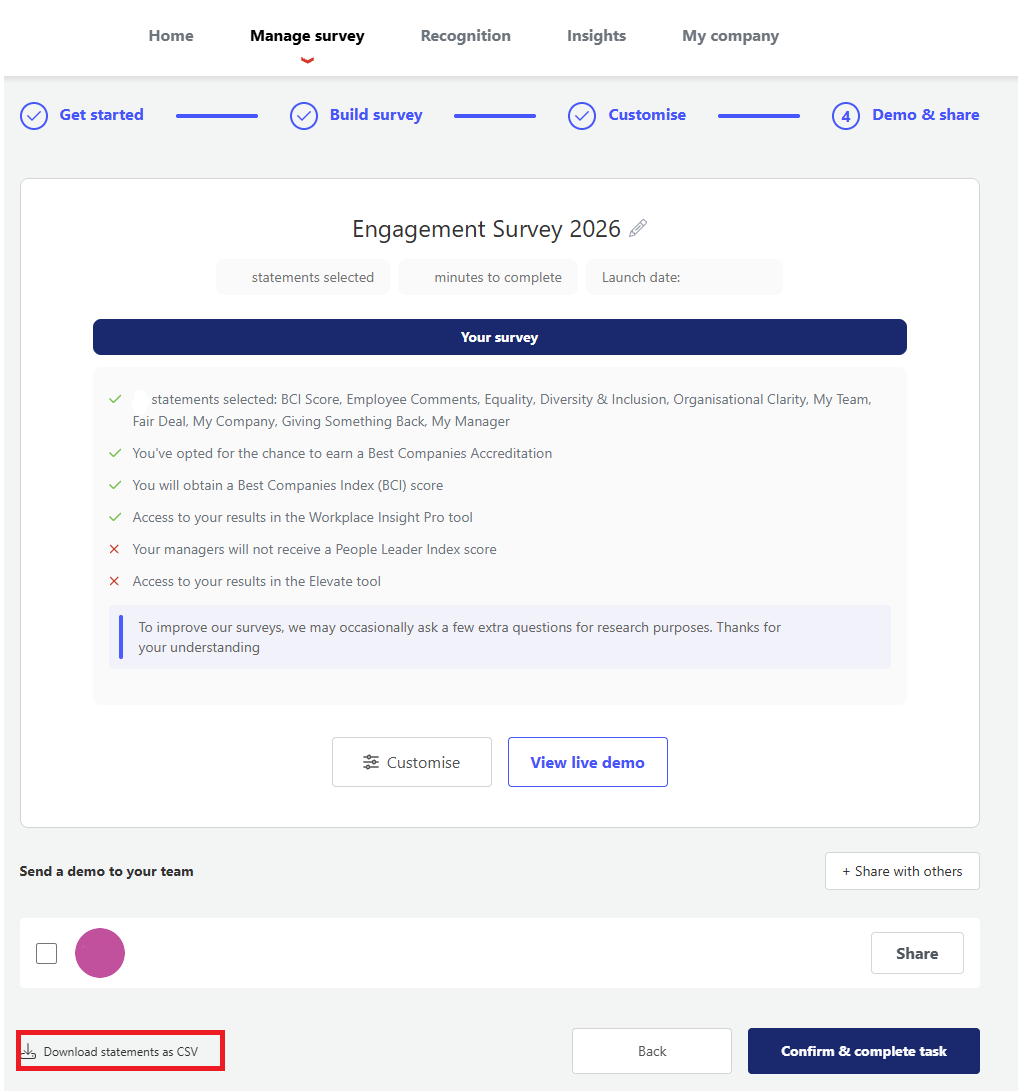
From here you will then get a CSV file of all previously used survey statements.
If you wish to review how your previous survey looked and how invitations were sent head over to the 'Send a demo survey' task, enter your email address and send the demo survey to the required recipient.
Now you're ready to set up your new survey, head back to your most recent survey via the dropdown menu used previously to select past surveys and complete your 'Select your survey questions' task.