
We are unable to provide details on exactly who has responded to protect anonymity; however, your dashboard will show you Overall and by Employment Group how many people have completed the survey.
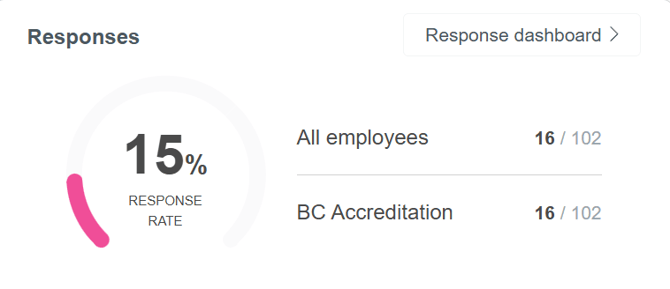
To see this information when your survey is live you will just need to head to the ‘Manage Survey’ tab on your dashboard and click on ‘Response dashboard’ found within the ‘Responses’ tile.
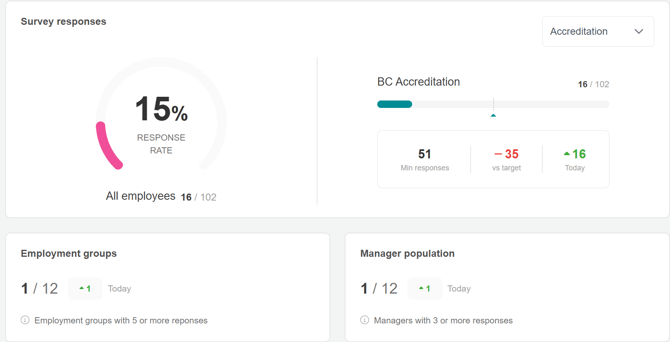
From here you can check if you have hit the minimum response rate for accreditation (if applicable). You can also check response rates by survey type by clicking the drop down. The page also highlights how many Employment Groups and Managers have passed the minimum number of responses to view data.
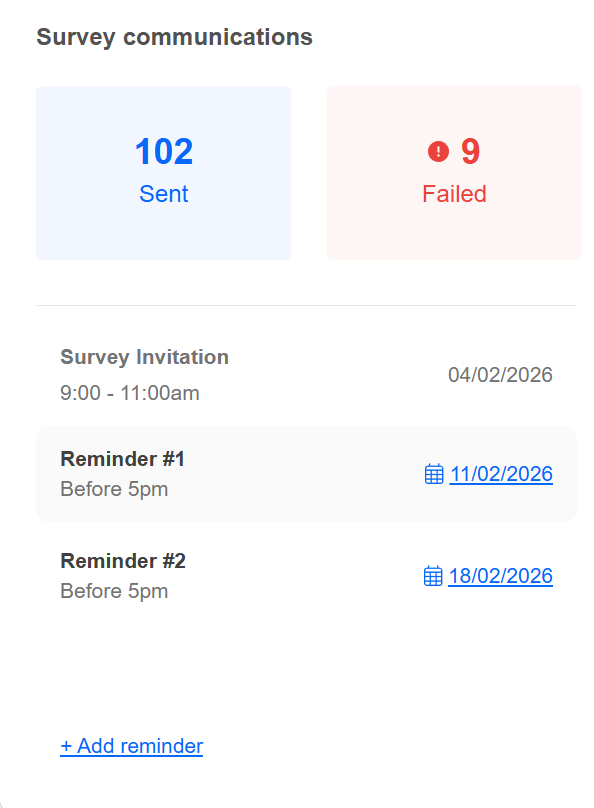
The survey communications panel on the right will let you view successful and failed emails, and also allow you to change reminder dates.
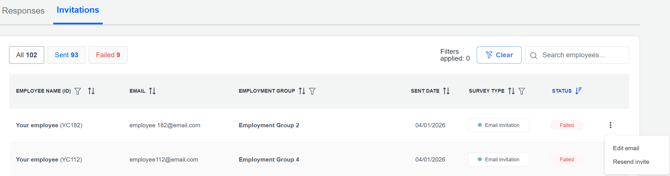
By clicking the invitations tab, you can Resend emails or Edit email addresses for those that have failed.
At the bottom of the page you can monitor survey groups based on demographics you have provided to us, including by Employment Groups, Job Grade, Age etc. You can also filter using a Manager's direct reports.
Use the drop down indicated below to select how to filter your responses. You can then download the selected data by clicking the Download report [.xlsx] button.
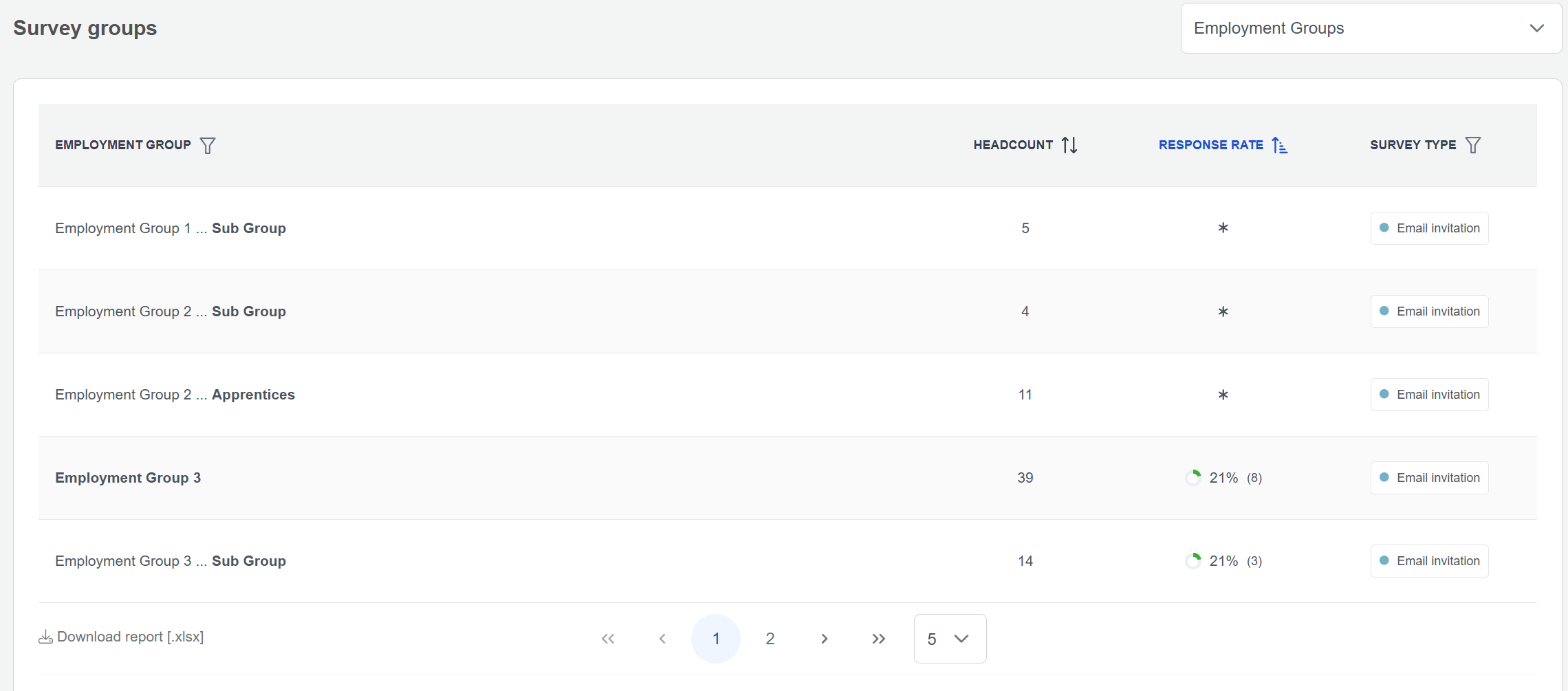
A * in the response rate column means that the group has less than 3 responses.
If you are surveying for recognition, keeping track of your response rates can be crucial to ensure you remain eligible. To find out more about how many responses you need, please see this article explaining the minimum response rate required
For more ideas on how to improve low response rates, please read this article on how to encourage participation.
For additional support please email support@b.co.uk, call us on 01978 856222, or click the 'Get in Touch' button at the top of this page.